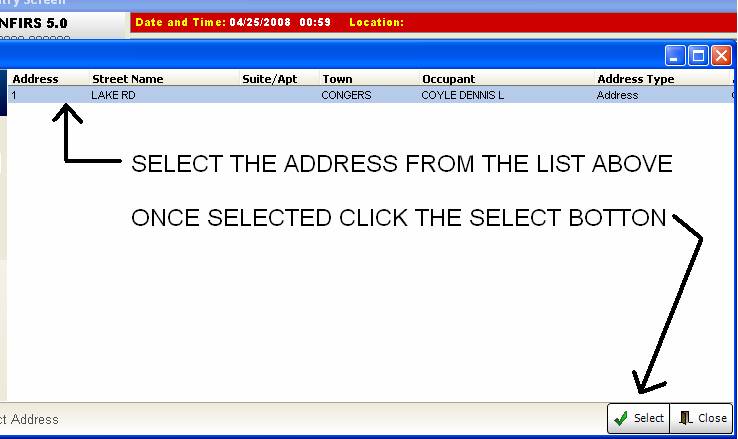
A new way to enter street address into a NFIRS report. This is called the address verification process.
1- Create a new call and DO NOT TYPE THE ADDRESS in from the NFIRS entry screen.
CLICK THE ADDRESS SELECTION BUTTON

Enter the address in the field and click the magnifying glass to search for addresses. This will search the entire county address database and give you EVERY street that matches. MAKE SURE YOU SELECT THE STREET IN THE TOWN THE CALL WAS IN.

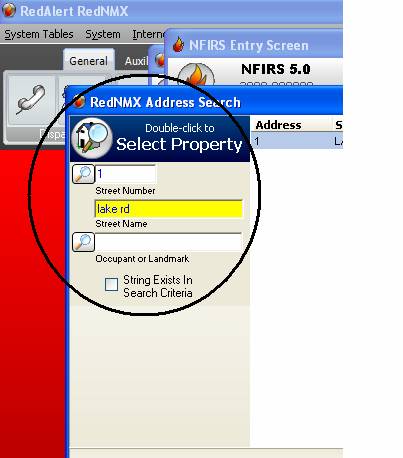
Once you click search select the address you want on the list. You will notice that a name is associated with the address. The county updates this all the time. Most of the time it will be correct, but sometimes it will be INCORRECT. Once you select the address it will ADD the information to the NFIRS report. It puts the address in the proper field and under PERSON INVOLVED (section K) it puts the name and address in as well. If it is incorrect you will need to change it.